- 1Monitoring บอกว่า "อะไรล่ม" — Observability ตอบได้ว่า "ล่มเพราะอะไร" โดยไม่ต้องเดาMonitoring tells you what failed — observability answers why, without guessing.
- 23 เสาหลักคือ Metrics, Logs, Traces — ต้องมีครบถึงจะเห็นภาพเต็มและลด MTTRThe three pillars — metrics, logs, traces — together give the full picture and cut MTTR.
- 3PRTG ที่คุณมีอยู่ ทำ Observability ได้ ด้วย REST/SQL Sensor, Syslog, NetFlow และ Business Process Sensor — ไม่ต้องลงทุน APM แพงYour existing PRTG can do observability with REST/SQL sensors, Syslog, NetFlow and Business Process Sensors — no expensive APM stack.
ทุกองค์กรมีระบบแจ้งเตือนที่บอกว่า "เซิร์ฟเวอร์ล่ม" แต่คำถามที่แพงที่สุดในห้อง War Room คือ "ล่มเพราะอะไร?" — และยิ่งตอบช้า ธุรกิจยิ่งเสียหาย Observability คือการออกแบบให้ระบบ "ตอบคำถามนั้นได้เอง" Every organisation has alerting that says "server down." But the most expensive question in the war room is "down because of what?" — and the slower the answer, the bigger the loss. Observability is designing your systems so they can answer that themselves.
Monitoring กับ Observability ต่างกันตรงไหนMonitoring vs Observability
Monitoring คือการเฝ้าดูค่าที่เรา "รู้อยู่แล้วว่าต้องดู" เช่น CPU, Ping, Uptime — ตอบได้แค่ว่า ระบบขึ้นหรือล่ม ส่วน Observability คือความสามารถในการ "ถามอะไรก็ได้" กับระบบจากข้อมูลที่เก็บไว้ — ตอบได้ว่า ทำไมถึงช้า/ล่ม โดยไม่ต้องไปเขียนโค้ดหรือ deploy ใหม่
Monitoring watches the things you already know to watch — CPU, ping, uptime — and answers is it up or down. Observability is the ability to ask the system any question from the data it already emits — answering why it's slow or down without shipping new code.
3 เสาหลักของ ObservabilityThe Three Pillars of Observability
Observability ที่ดีต้องยืนบนข้อมูล 3 ชนิดที่เสริมกัน — ขาดเสาใดเสาหนึ่งก็เห็นภาพไม่ครบ:
Good observability stands on three complementary data types — drop any one pillar and the picture is incomplete:
MTTR: ทำไม "ตอบได้ทันที" ถึงคุ้มเป็นเงินMTTR: Why "Instant Answers" Pay Off
เวลาที่ใช้กู้ระบบ (MTTR) ส่วนใหญ่ ไม่ได้หมดไปกับการแก้ แต่หมดไปกับการ "เดาว่าล่มเพราะอะไร" Observability ตัดช่วงเวลาเดาทิ้ง ทำให้กู้คืนได้เร็วขึ้นมาก
Most recovery time (MTTR) isn't spent fixing — it's spent guessing what broke. Observability removes the guessing, so recovery gets dramatically faster.
3 วิธีทำ Observability ด้วย PRTG ที่คุณมีอยู่3 Ways to Do Observability With the PRTG You Already Have
ข่าวดีคือคุณไม่ต้องลงทุน Observability + APM ราคาแพง — PRTG ที่ใช้อยู่ทำได้ทั้ง 3 ด้านนี้:
1 · Deep App & Cloud
ใช้ REST API Sensor และ SQL Sensor มองลึกถึงระดับแอปและคลาวด์ ไม่ใช่แค่ Ping/CPU
2 · Log & Traffic
เปิด Syslog Receiver และ NetFlow Sensor รวม Log และวิเคราะห์ Traffic หาความผิดปกติจากศูนย์กลาง
3 · Business Process
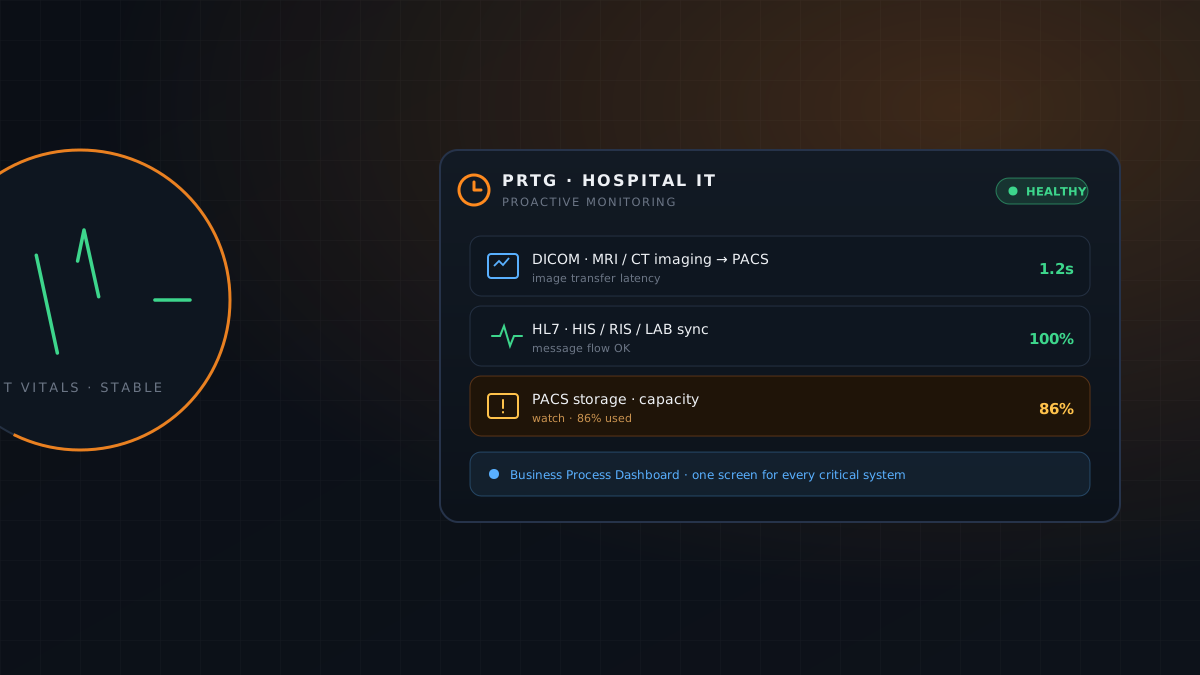
สร้าง Business Process Sensor รวม Web + Database + Network เป็น "บริการธุรกิจ" เดียว เห็นทันทีว่าบริการไหนกระทบ
The good news: you don't need an expensive observability + APM stack — the PRTG you already run covers all three:
1 · Deep app & cloud
Use REST API and SQL sensors to see into the application and cloud layer, not just ping/CPU.
2 · Log & traffic
Turn on the Syslog Receiver and NetFlow Sensor to centralise logs and spot anomalies in traffic.
3 · Business process
Build a Business Process Sensor that combines web + database + network into one business service.
เปลี่ยน PRTG ให้ตอบ "ทำไม" กับ Network365Make PRTG Answer "Why" — With Network365
Network365 เป็นพาร์ตเนอร์ Paessler PRTG ในประเทศไทย ช่วยคุณวางสถาปัตยกรรม Observability บน PRTG ที่มีอยู่ — ตั้งค่า REST/SQL Sensor, Syslog, NetFlow และ Business Process Sensor พร้อม Dashboard ที่หา Root Cause ได้ในไม่กี่นาที
Network365 is a Paessler PRTG partner in Thailand — we help you build an observability architecture on your existing PRTG: REST/SQL sensors, Syslog, NetFlow and Business Process Sensors, with dashboards that surface root cause in minutes.
นัดทีมวิศวกรของเราเพื่อออกแบบ Observability บน PRTG จากระบบจริงของคุณBook our engineers to design observability on PRTG from your own systems.